
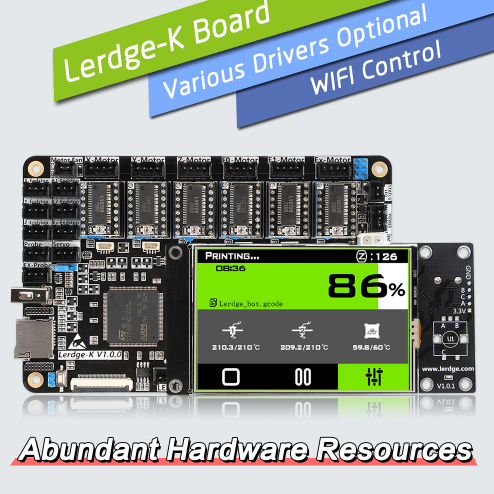
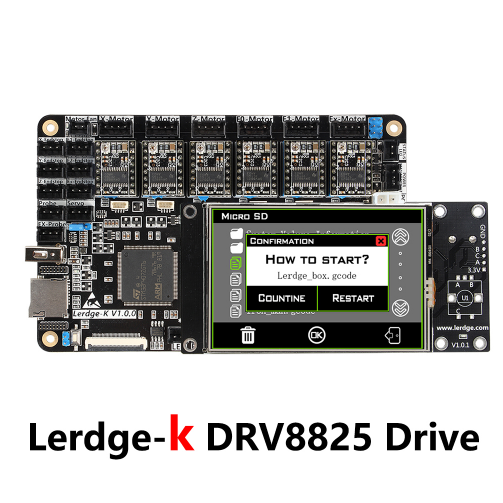
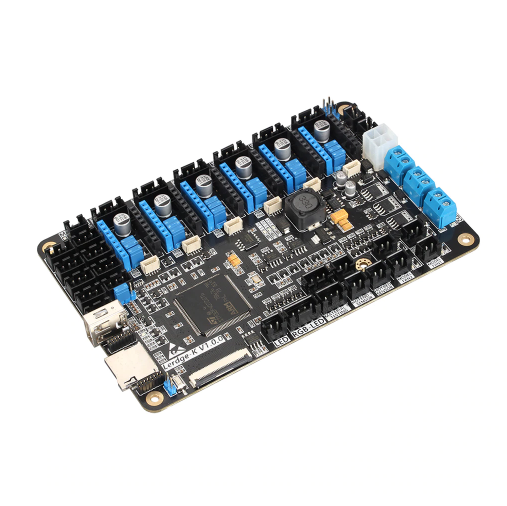
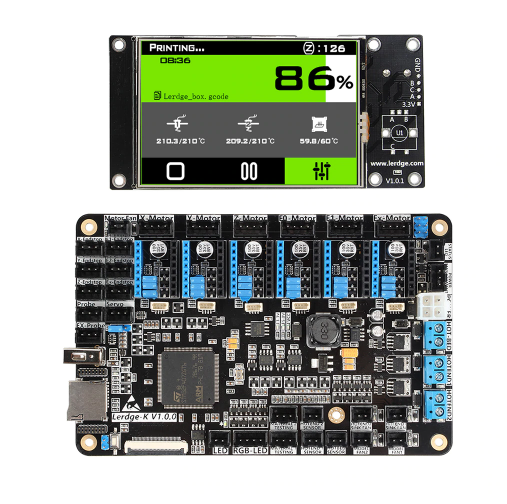
LERDGE 3D Printer Board ARM 32Bit Motherboard for 3D Printer Touch Screen Kit +Drive DRV8825

| รหัสสินค้า | SKU-00239 |
| หมวดหมู่ | 3D-Control board |
| ราคา | 5,500.00 บาท |
| สถานะสินค้า | Pre-Order |
| สภาพ | สินค้าใหม่ |
| ลงสินค้า | 16 ธ.ค. 2561 |
| อัพเดทล่าสุด | 16 ธ.ค. 2561 |
| จำนวน | ชิ้น |
หยิบลงตะกร้า

รายละเอียดสินค้า
Support:
Hotend=Thermistors temperature measurement(ntc 100k and PT100)
Heatbed=Thermistors temperature measurement(ntc 100k )
Support 3d printer types:XYZ、Detla、CoreXY、CoreXZ、Ultimaker、Hbot
1. More modules used with the Lerdge motherboard will be available, please add our store to your list for more convenient checking.
2. We support both retail and wholesale, please feel free to contact us for more details. More files will be provided for your reference.
3. The latest firmware download address: lerdge.com
About power continued to play function: Lerdge-K motherboard comes with printing pause, printing save, and start-up function. But if you need the function of saving power and continue to play when power off unexpectedly, and the function of automatically turning off after the printing finished, apower monitoring module is needed.
About printing instructions: The Lerdge-K motherboard defaults to offline printing (Use TF card printing or U disk printing). If need the online printing, an online module is needed.
About the Lerdge-K motherboard auxiliary motor function description: The auxiliary motor can be used for dual X-axis, dual Y-axis, dual Z-axis or copy extruder E0 or extruder E1 (depending on the specific model of the printer), but it can not be used for the third extruder.
About the use of heated bed: The heated bed with a power of no more than 150w can be connected directly to the motherboard. If the heated bed power is too large, please use a high-power MOS hot bed module.
About the USB port instructions: Note that the USB port can not be directly connected to the computer as a power input port. The USB port can be extended with a U disk, but please make sure the extension cable should not be used too long. In order to avoid the printing process failure, it is recommended to use the brand genuine U disk. The expansion disk or recycling U disk may lead to problems such as identification or printing crash.
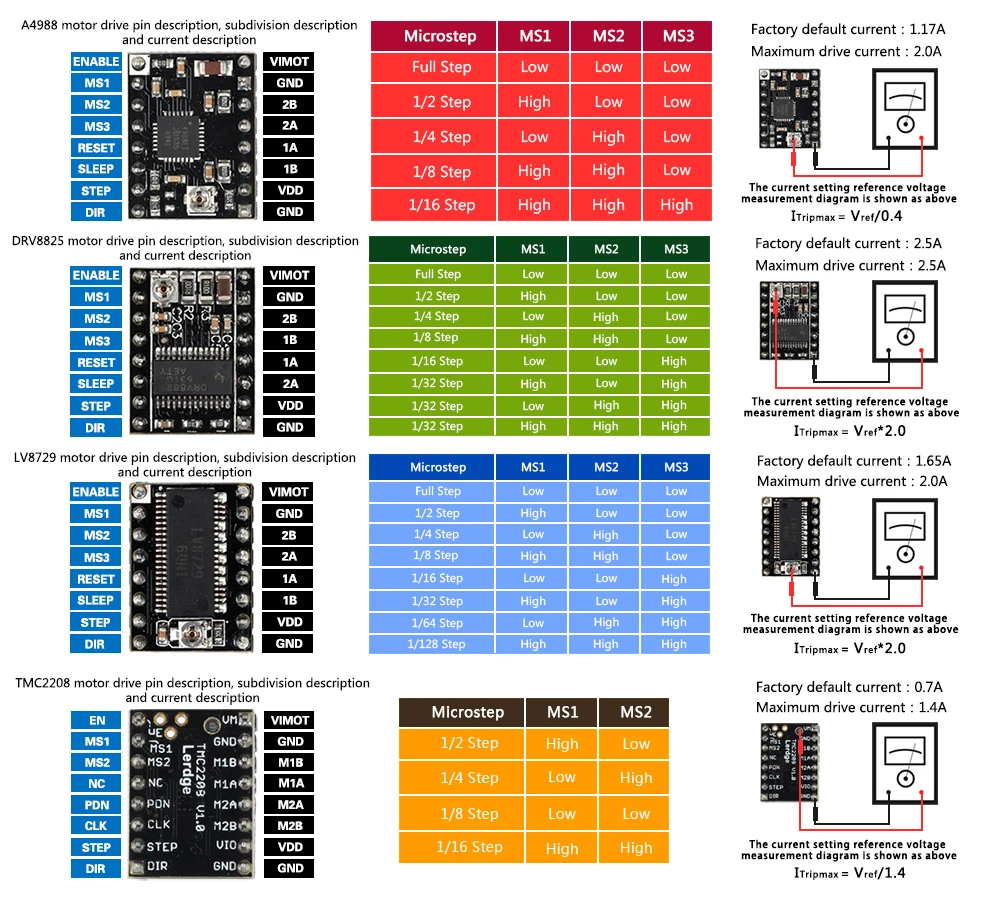
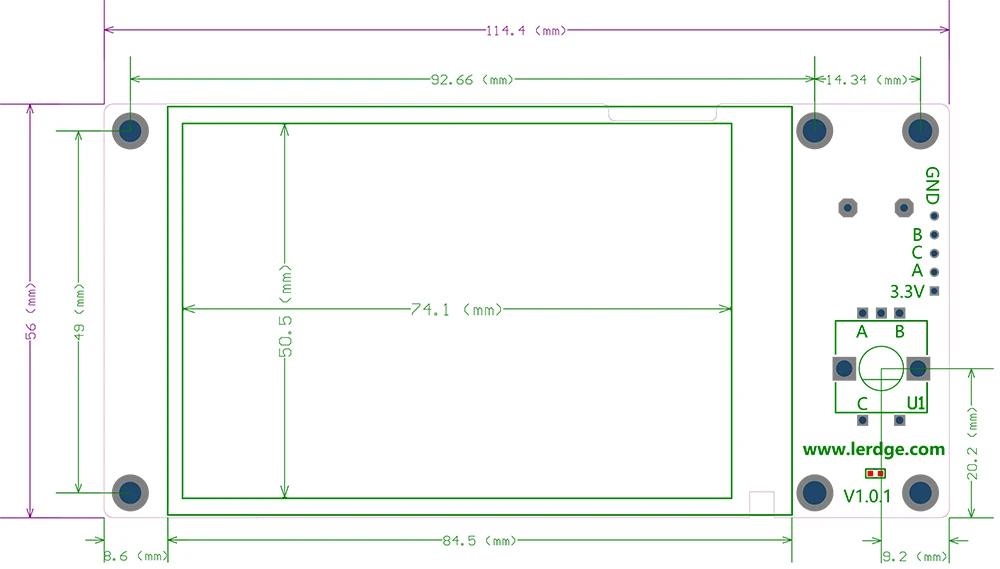
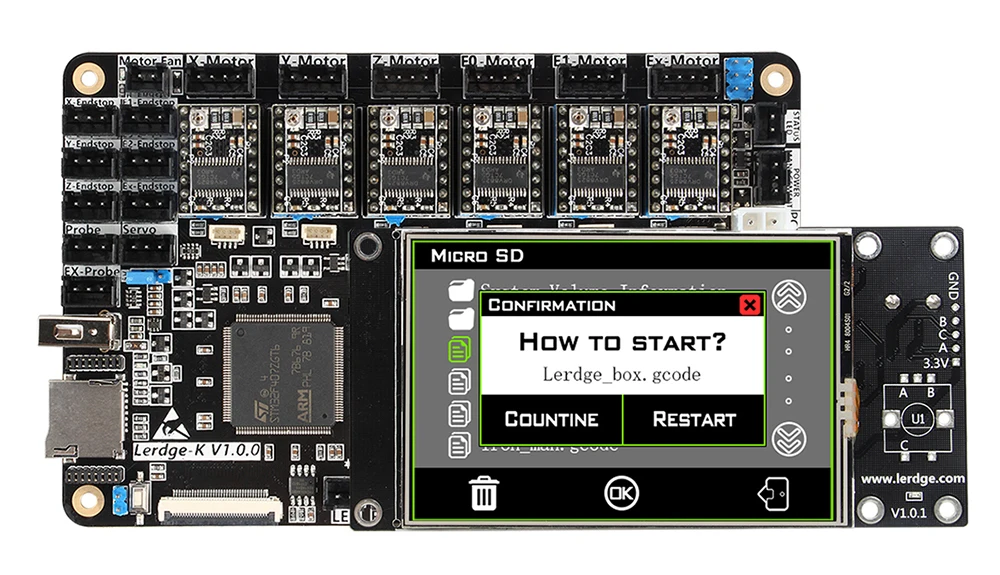
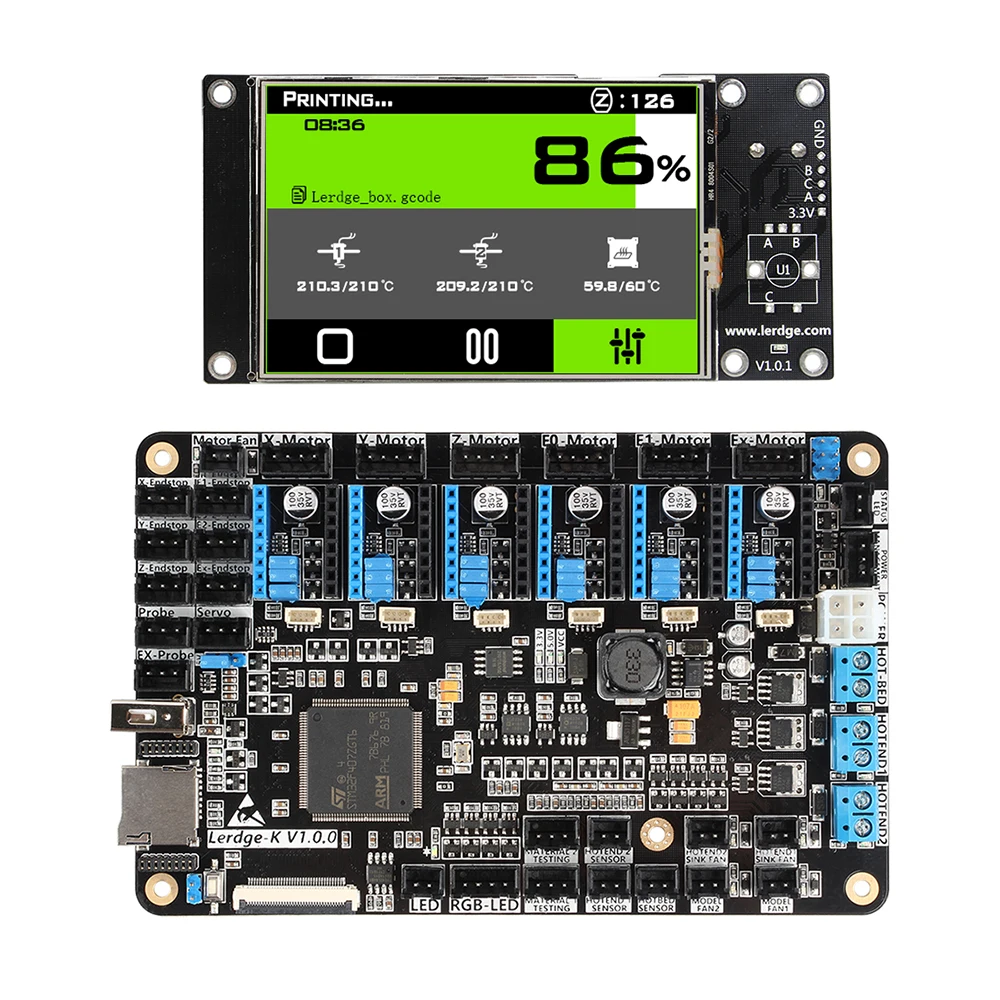
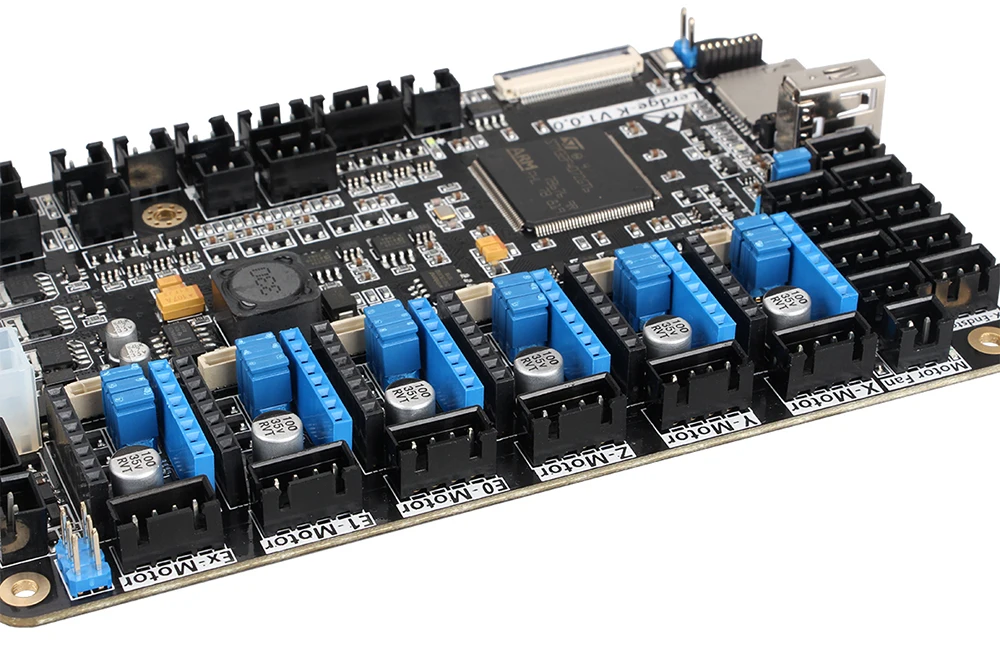
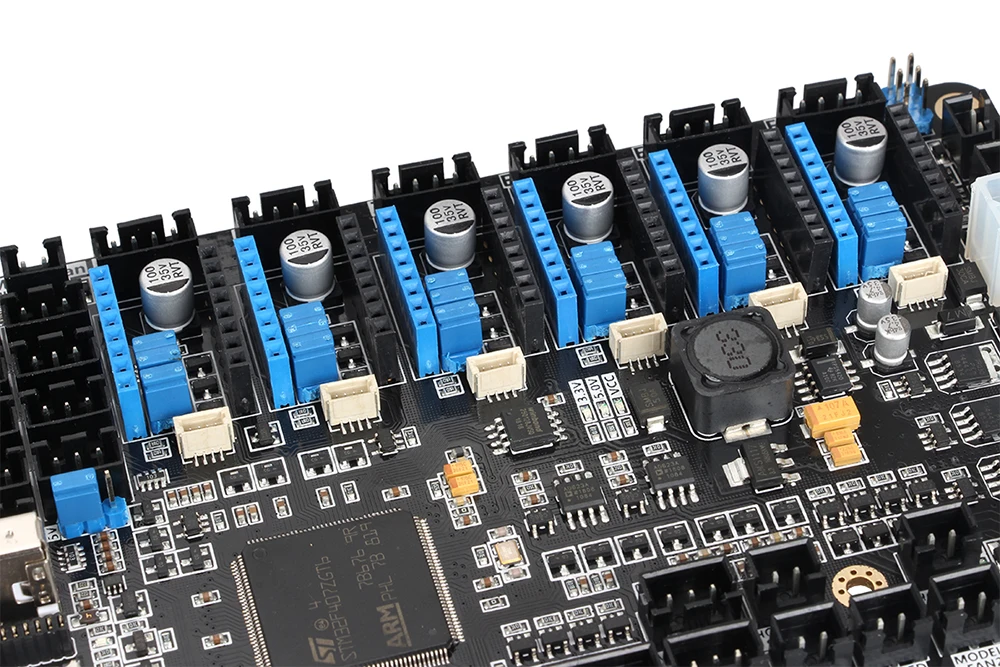
For large-size machines, if you need to connect externally, please purchase an external driveadapter module to drive a larger motor, such as 57 motor, 86 motor, etc. The motherboard itself is recommended to drive 42 motor. As shown in the figure below.










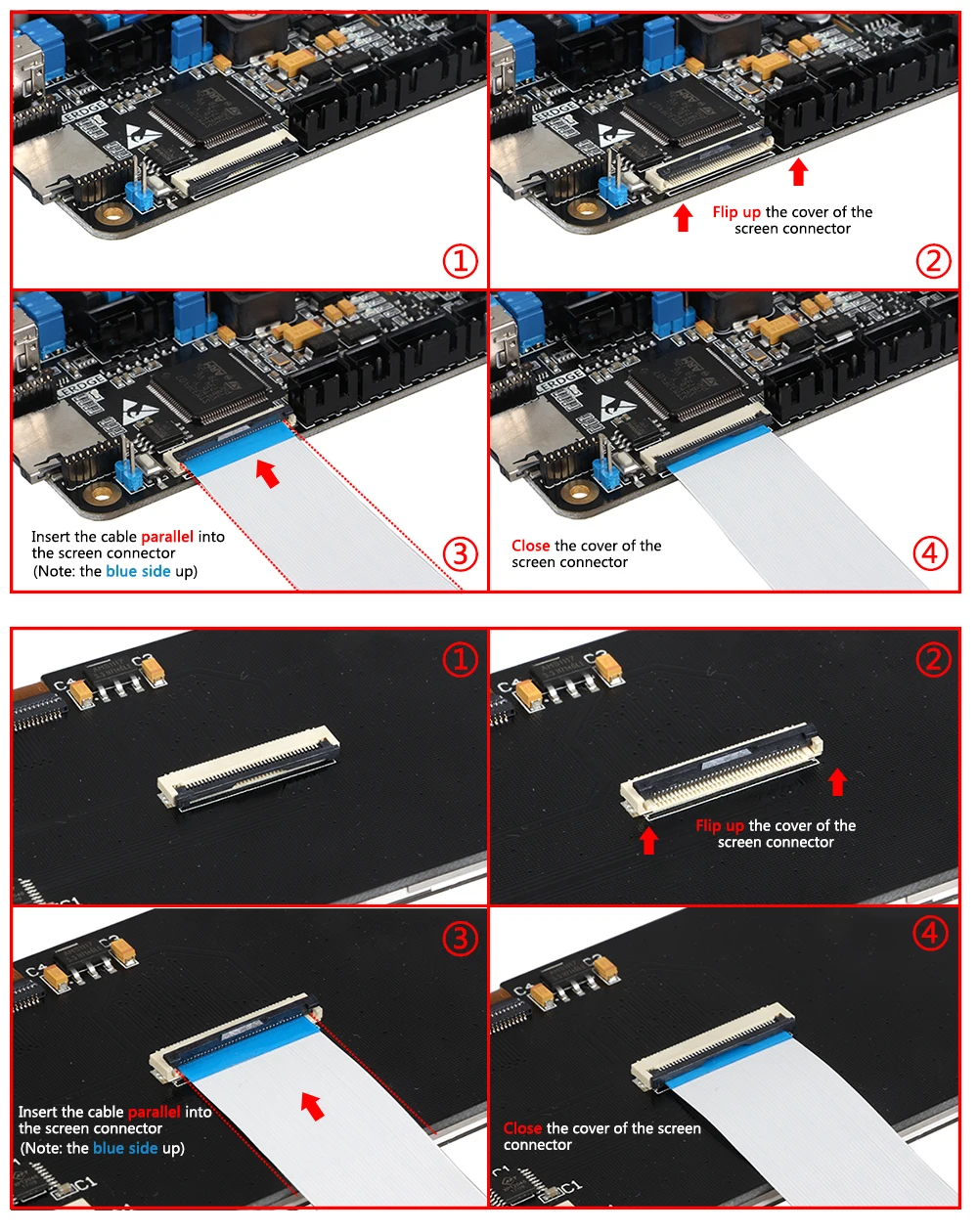
Instructions for buying Lerdge Motherboard:
1.Because there are so many different BLTouch on the market, and the signal recognition are not uniform, Lerdge motherboard will no longer support BLTouch, and will not provide any further BLTouch related technical support. Only the standard rudder drive signal will be provided. If you insist on using BLTouch, please try it yourself. The example of testing the original/genuine BLTouch can be found in our official website. However, we do not guarantee that it will apply to all BLTouch in the market and shall not be liable for any loss arising from the use of Bltouch.
To purchase BLTouch accessories(or the ones similar to BLTouch), please do not ask our motherboard to support all the various types of BLTouch that in the market. Thanks for understanding.
วิธีการชำระเงิน
ชำระเงินผ่านธนาคาร
 ธนาคารไทยพาณิชย์ จำกัด (มหาชน)
สาขาเทสโก้ โลตัส ศรีนครินทร์ ออมทรัพย์
นาย เอกนรินทร์ วงษมาเกษ
403-xxxxxx-0
ธนาคารไทยพาณิชย์ จำกัด (มหาชน)
สาขาเทสโก้ โลตัส ศรีนครินทร์ ออมทรัพย์
นาย เอกนรินทร์ วงษมาเกษ
403-xxxxxx-0
 ธนาคารกรุงเทพ จำกัด (มหาชน)
สาขาเทสโก้ โลตัส ศรีนครินทร์ ออมทรัพย์
นาย เอกนรินทร์ วงษมาเกษ
003-xxxxxx-5
ธนาคารกรุงเทพ จำกัด (มหาชน)
สาขาเทสโก้ โลตัส ศรีนครินทร์ ออมทรัพย์
นาย เอกนรินทร์ วงษมาเกษ
003-xxxxxx-5
 บมจ. ธนาคารกสิกรไทย
สาขาโลตัส ศรีนครินทร์ ออมทรัพย์
นาย เอกนรินทร์ วงษมาเกษ
001-xxxxxx-8
บมจ. ธนาคารกสิกรไทย
สาขาโลตัส ศรีนครินทร์ ออมทรัพย์
นาย เอกนรินทร์ วงษมาเกษ
001-xxxxxx-8
เข้าร่วมกับร้านค้า

ร้านTomElectronics1
www.tomelectronics1.com/
สมัครสมาชิกร้านนี้ เพื่อรับสิทธิพิเศษ
MEMBER


LINK

สินค้าในตะกร้า ({{total_num}} รายการ)

ขออภัย ขณะนี้ยังไม่มีสินค้าในตะกร้า
ราคาสินค้าทั้งหมด
฿ {{price_format(total_price)}}
- ฿ {{price_format(discount.price)}}
ราคาสินค้าทั้งหมด
{{total_quantity}} ชิ้น
฿ {{price_format(after_product_price)}}
ราคาไม่รวมค่าจัดส่ง
➜ เลือกซื้อสินค้าเพิ่ม